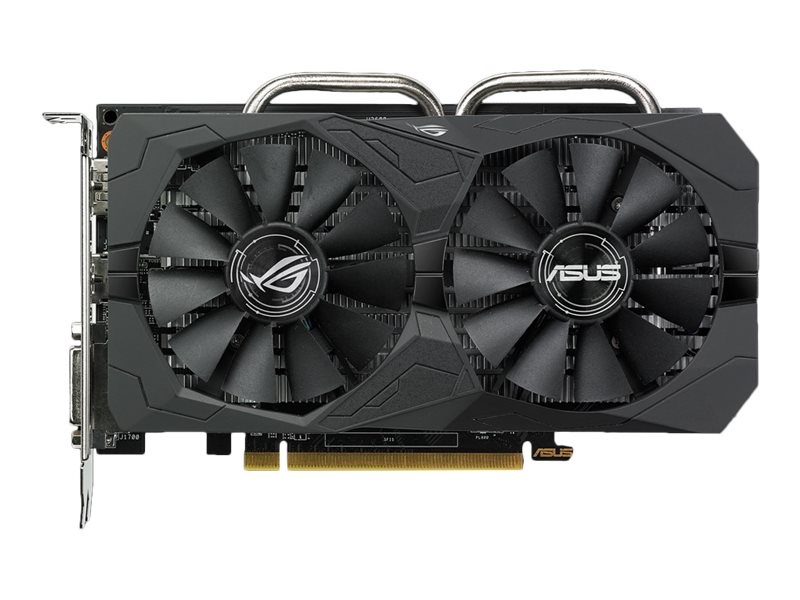
Grafická karta ASUS Radeon RX 560 ROG STRIX O4G EVO GAMING představuje cenově dostupné herní řešení od renomovaného výrobce ASUS, konkrétně z jeho herní řady ROG Strix, postavené kolem grafického čipu AMD Radeon RX 560. Jedná se o základní/entry-level model, který se skvěle hodí pro hraní ve Full HD (1080p) se středními až vyššími detaily v méně náročných titulech. Karta nabízí 4 GB rychlé paměti GDDR5 a osvědčenou architekturu Polaris, takže zajišťuje plynulý a příjemný zážitek ve starších a méně náročných hrách, stejně jako v oblíbených e-sportových titulech. V tomto podrobném hodnocení představíme kartu z pohledu herního výkonu, chlazení a hlučnosti, spotřeby a napájecích požadavků, možností připojení i fyzických parametrů. Ukážeme nejen silné stránky, ale i realistická omezení – na co se karta skvěle hodí, kde exceluje a kde už narazíte na limity výkonu a paměti.
Herní výkon
Výkon verze ROG Strix RX 560 O4G EVO dostačuje pro pohodlné hraní ve 1080p u méně náročných a starších her, ale také u konkurenčních online titulů, kde jde především o plynulost a nízkou latenci. Například populární hry jako League of Legends nebo CS:GO zvládá tato grafická karta s naprostým přehledem – při plných detailech dosahuje vysokých snímkových frekvencí výrazně nad 60 FPS, což ocení každý e-sportovní hráč i příležitostný zájemce o plynulou hru. The Witcher 3: Wild Hunt (2015) běží na RX 560 ve Full HD rozlišení přibližně ~50 FPS na střední nastavení (a ~40 FPS na vysoká), takže je velmi dobře hratelný po mírném snížení grafických detailů a stále si užijete působivý vizuální zážitek. U moderních graficky náročných titulů je však nutné dělat určité kompromisy. Například Cyberpunk 2077 (2020) má podstatně vyšší hardwarové nároky a na této kartě dosahuje ve 1080p pouze kolem 30 FPS na nízká nastavení, což už není ideální. Náročné AAA hry je tedy na RX 560 nutné spouštět se sníženou kvalitou grafiky, případně i nižším rozlišením. Celkově je výkon karty přibližně srovnatelný se starší GeForce GTX 1050 – zhruba o 10 % vyšší než u jejího předchůdce, Radeon RX 460. Pro hraní v rozlišení 1440p nebo při ultra detailech v nejnovějších hrách však ani výkon, ani 4 GB VRAM obvykle nestačí, a karta je proto primárně určena pro příležitostné hráče, kteří chtějí plynulé hraní v režimu 1080p.
Chlazení a hlučnost
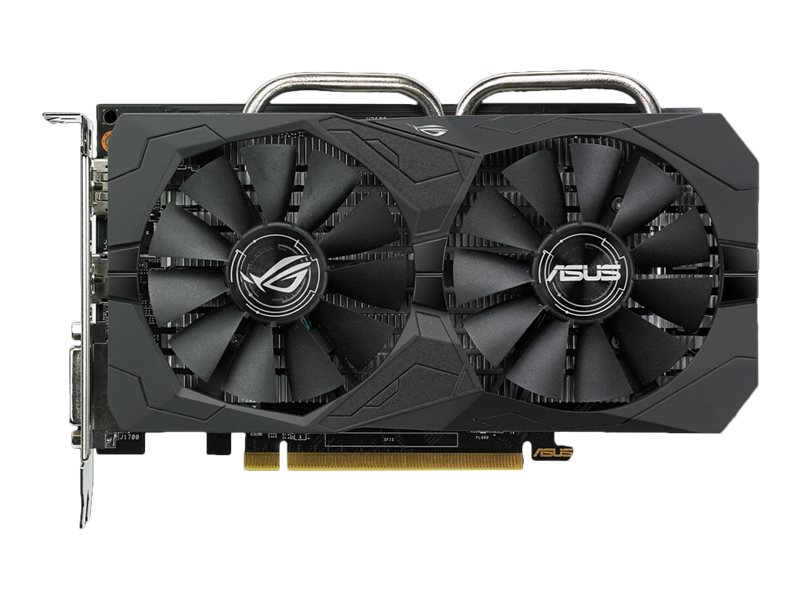
Dvouventilátorové chlazení DirectCU II na ASUS ROG Strix RX 560 O4G EVO drží teploty nízko, ale v základním továrním nastavení může být pod vyšší zátěží slyšitelné.
Chlazení karty tvoří robustní dvouslotový chladič s heatpipe technologií označovanou jako DirectCU II, osazený dvěma 90mm ventilátory s patentovaným designem lopatek Wing-Blade. Toto řešení zajišťuje účinné odvádění tepla – ASUS uvádí až o 30 % nižší teploty oproti referenčním chladičům – a mělo by být také výrazně tišší (až 3× tišší provoz v porovnání se základními modely). Ventilátory navíc podporují režim 0dB: při nízké zátěži nebo když teplota klesne pod ~50 °C, se zcela zastaví a karta je tak prakticky neslyšitelná. Při běžné kancelářské práci, prohlížení webu nebo u méně náročných her zůstává karta tiše, což zvyšuje komfort při každodenním používání. Při dlouhodobé zátěži (například běh náročnější hry) však ventilátory udržují relativně vysoké otáčky a chladič se stává slyšitelným. Výchozí profil chlazení upřednostňuje nižší teploty GPU (drží se kolem 60 °C) na úkor hlučnosti – citlivější uživatelé si mohou volitelně upravit křivku ventilátorů ručně (například pomocí nástroje ASUS GPU Tweak II) a dosáhnout tak tiššího provozu za cenu mírně vyšších teplot. Celkově jsou teploty velmi dobré a karta se nepřehřívá, i když pod vyšší zátěží počítejte s tím, že se akusticky projeví.
Spotřeba a napájecí požadavky
GPU Polaris 21 na RX 560 je vyrobeno pokročilým 14nm výrobním procesem, což se projevuje relativně nízkou spotřebou a dobrým přehledem o teple. TDP karty je přibližně 75 W, což znamená, že celý potřebný výkon může dodat samotný PCIe ×16 slot na základní desce. Karta nepotřebuje žádné přídavné napájecí konektory – na jejím horním okraji skutečně nenajdete ani 6pinový, ani 8pinový konektor. To jsou velmi dobré zprávy pro majitele starších nebo menších sestav s omezenými zdroji, protože k provozu postačuje prakticky jakýkoliv kvalitní zdroj o výkonu kolem 400 W (doporučení výrobce). Při hraní se spotřeba karty obvykle drží kolem zmíněných ~75 W a v kombinaci s úsporným režimem při nízké zátěži (kdy klesá frekvence i napětí GPU) jde o energeticky úsporné řešení. Nízká spotřeba se také projevuje menší tvorbou tepla a menší tepelnou zátěží skříně, což usnadňuje chlazení celé sestavy a prodlužuje životnost komponent. Nemusíte se proto bát vložit kartu i do kompaktnějších skříní s omezeným průtokem vzduchu – její tepelné nároky jsou střední až nízké. V rámci mainstreamové třídy grafických karet nabízí RX 560 velmi dobrý poměr výkonu ke spotřebě a navazuje tak na dlouholetou AMD tradici úsporných karet v nižším segmentu.
Připojení a kompatibilita
Na zadním rámu karty najdete pestrou škálu moderních výstupů, které uspokojí většinu uživatelů. ASUS ROG Strix RX 560 O4G EVO nabízí hned tři konektory: DisplayPort 1.4, HDMI 2.0b a klasický digitální výstup DVI-D. Díky tomu lze připojit široké spektrum monitorů i televizí – od nejnovějších vysokorychlostních modelů až po starší monitory s DVI, které stále najdeme v mnoha domácnostech i kancelářích. Maximální digitální rozlišení podporované kartou je 5120 × 2880 při 60 Hz (5K), i když to v praxi využije skutečně málokdo; připojení trojice monitorů současně pro ROG Strix RX 560 není žádný problém (technologie AMD Eyefinity umožňuje roztažení obrazu přes více displejů a vytvoření širokoúhlé pracovní plochy). Součástí je plná podpora DirectX 12 a Vulkan pro moderní hry, stejně jako technologie FreeSync, která při použití s kompatibilním monitorem synchronizuje obnovovací frekvenci s výkonem GPU a eliminuje nepříjemné trhání obrazu. Karta vyžaduje slot PCIe ×16 (standard PCIe 3.0, zpětně kompatibilní i s PCIe 2.0) a zabírá dva sloty na šířku – doporučujeme před koupí zkontrolovat, že máte v PC dostatek místa, zejména pokud používáte další rozšiřující karty. Délka karty je pod 19,4 cm a výška 12 cm, což je poměrně kompaktní rozměr; vejde se tedy i do menších skříní formátu MicroATX. Pro plnou herní kompatibilitu doporučujeme nainstalovat nejnovější balík ovladačů AMD Radeon Software Adrenalin, který přináší nejen optimalizace, ale i nové funkce a vylepšené uživatelské rozhraní. Celkově je instalace a nastavení této karty velmi jednoduché – stačí ji zasunout do slotu, zajistit šroubem a po nabootování nainstalovat ovladače. Nemusíte řešit žádné přídavné napájecí kabely, což celou instalaci výrazně zjednodušuje.
Design a kvalita zpracování
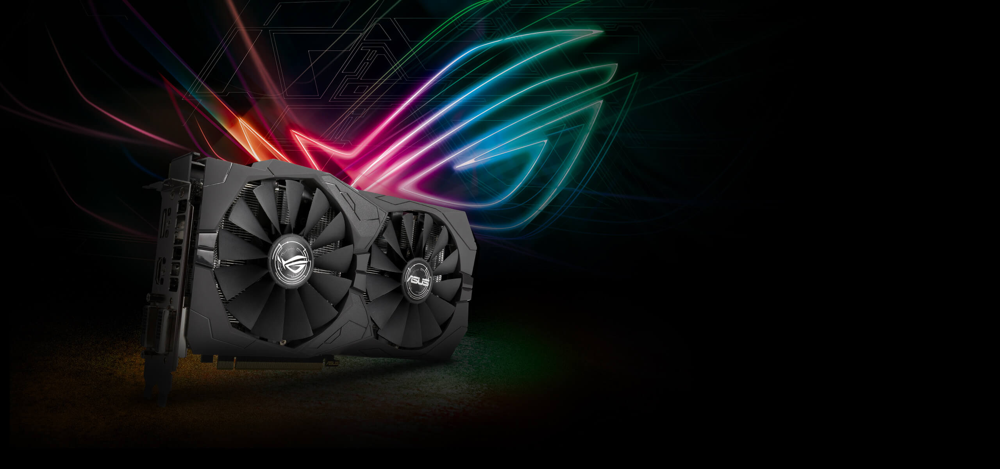
Design ASUS ROG Strix RX 560 imponuje agresivním herním vzhledem a decentním RGB podsvícením Aura Sync, které lze sladit s dalšími komponenty.
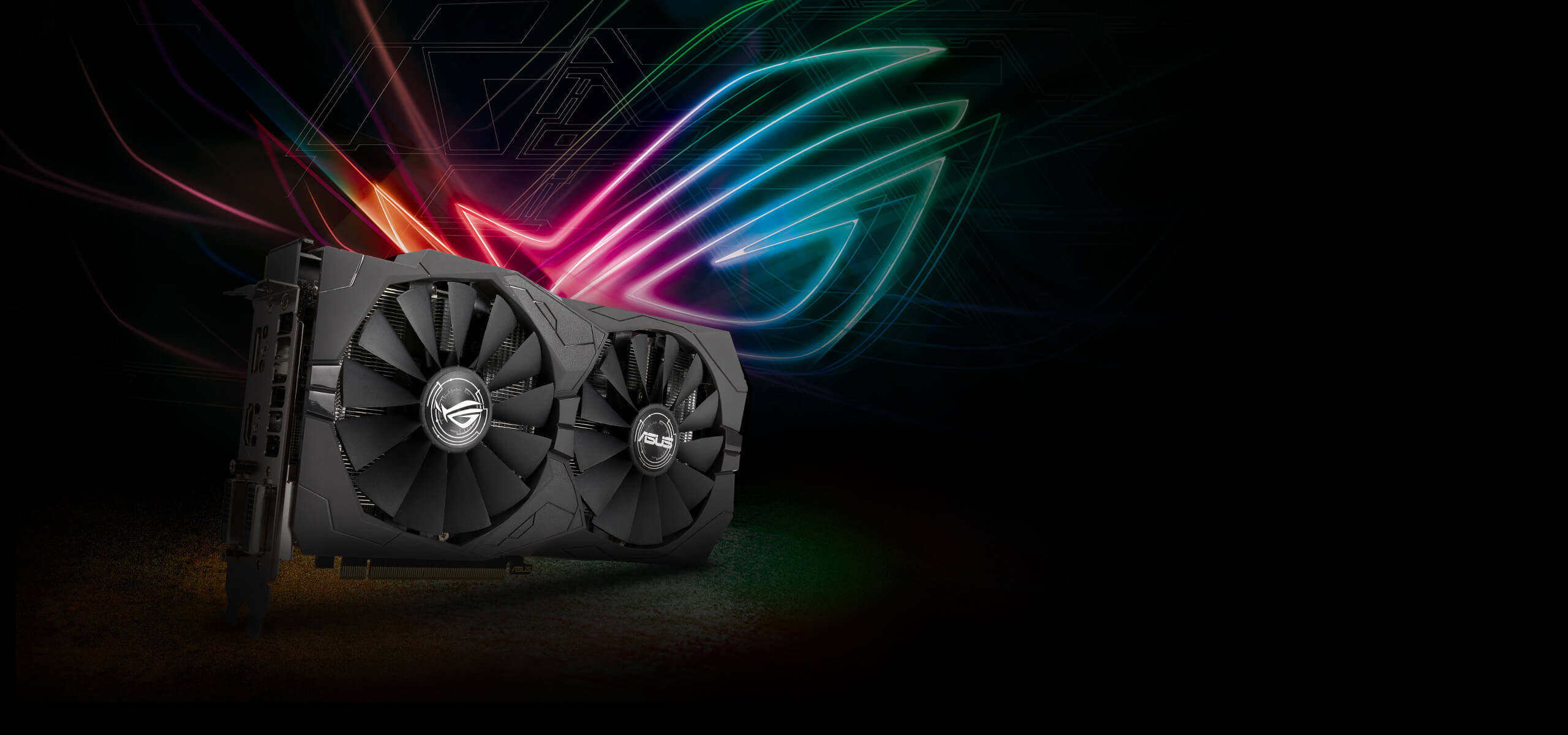
Verze ROG Strix klade důraz nejen na výkon, ale i na vzhled a kvalitu zpracování. Karta má atraktivní černý kryt s ostrými liniemi a dvojicí ventilátorů, který zapadne do většiny herních sestav a působí prémiovým dojmem. Nechybí stylové prvky jako osvětlené ROG RGB logo na horní hraně a osvětlené detaily na krytu – technologie ASUS Aura Sync umožňuje přizpůsobit barvu a efekty LED podle vlastního gusta a synchronizovat osvětlení s dalšími kompatibilními komponenty v počítači. Karta může působit velmi efektně uvnitř skříně, zvlášť pokud máte průhledný boční panel a chcete si vytvořit osobitý herní setup. V balení dokonce najdete vyměnitelné barevné samolepky a dekory (například oranžové akcenty) a stahovací pásky s logem ROG, které umožňují drobnou vizuální customizaci vaší sestavy a dodávají stavbě osobitý ráz. Dalším kvalitním prvkem je kovový backplate na zadní straně PCB, který zvyšuje tuhost karty, chrání komponenty před poškozením a nese logo ROG – přispívá tak i k lepšímu odvodu tepla a celkové robustnosti. Celá konstrukce využívá automatizovanou výrobu Auto-Extreme, která zajišťuje přesné umístění součástek, spolehlivé pájení a dlouhodobou životnost. Strix RX 560 proto nepůsobí jako „usekaný" budget model, ale spíše jako plnohodnotný člen rodiny ROG – co se kvality zpracování a designu týče, směle konkuruje mnohem dražším kartám. Jako bonus stojí za zmínku technologie FanConnect II: ke kartě lze připojit jeden ventilátor skříně (4pinový), který následně karta řídí podle aktuální teploty GPU. To pomáhá dále optimalizovat chlazení celé sestavy při herní zátěži a udržet teploty pod kontrolou.
Souhrn – pro koho je karta vhodná?
ASUS Radeon RX 560 ROG STRIX O4G EVO GAMING cílí především na hráče, kteří hledají cenově dostupnou grafickou kartu pro příležitostné hraní ve 1080p s důrazem na nízkou spotřebu, tichý provoz a slušný design. Co se výkonu týče, osloví především občasné hráče a fanoušky e-sportu – pokud hrajete tituly jako League of Legends, Counter-Strike: GO, DOTA 2, Rocket League nebo Overwatch, RX 560 vás rozhodně nezklame. V těchto hrách podá plynulé snímkové frekvence a nezatíží váš rozpočet, takže získáte dobrý herní zážitek za rozumnou cenu. Další výhodou je snadná integrace do starších sestav – karta nevyžaduje externí napájení a má kompaktní rozměry, takže se hodí i do menších skříní nebo pro vylepšení staršího počítače bez nutnosti výměny zdroje. Oceňujeme i kvalitní provedení edice ROG Strix (účinné dvouventilátorové chlazení, RGB podsvícení, backplate) a moderní výběr konektorů, díky kterému karta obstojí i v dnešní době.
Musíme ale zmínit i reálná omezení této karty, abyste měli jasnou představu. Pro nejnovější AAA hry na vysoké detaily nebo v rozlišení 1440p už výkon RX 560 jednoduše nestačí – 4 GB VRAM a 896 stream procesorů jsou dnešními standardy spíše minimum a v náročných situacích se mohou objevit propady snímkové frekvence či mikrotrhání. Náročnější hráči, kteří požadují ultra nastavení v každé hře nebo plánují hraní ve virtuální realitě či v rozlišení 2K/4K, by proto měli zvážit investici do výkonnějších modelů (minimálně Radeon RX 570/580 nebo jejich moderní ekvivalenty). Pro cílovou skupinu běžných uživatelů s monitorem 1080p však ASUS ROG Strix RX 560 O4G EVO představuje vyváženou kombinaci slušného herního výkonu, nízké spotřeby a atraktivního designu. Pokud stavíte nebo upgradujete počítač především pro příležitostné online hraní, multimédia, sledování videí a občasné zahrání si větších titulů na střední nastavení, je tato grafická karta vhodným a spolehlivým řešením, které vás za dostupnou cenu pohodlně dostane do světa plynulého Full HD hraní.
Zdroje a ilustrační obrázky
-
https://steamcommunity.com/discussions/forum/11/2974027717615064111/
-
https://pc-builds.com/fps-calculator/result/1m80XO/3W/the-witcher-3-wild-hunt/
-
https://www.alza.cz/asus-strix-rx-560-o4g-gaming-recenze-a-testy
-
https://gzhls.at/blob/ldb/2/c/e/4/466aa1d110f98857d7e81b6eead7f988e898.pdf
-
https://cdn.cs.1worldsync.com/8b/79/8b792cb4-13b5-419f-9290-fedc72081cf6.jpg